Embedded Telco > Docs > Platform - Authentication
Platform
Authentication
The 1GLOBAL Connect API uses OAuth2 Client Credentials authentication type to authenticate request. You can get authentication tokens using the following url: https://services.truphone.com/auth/realms/tru-staff/protocol/openid-connect/token. Please be aware that these tokens have a limited duration so you need to include refresh logic in the client code, so that the token gets refreshed automatically without breaking the user experience.
Obtaining and using an access token
Example using Postman
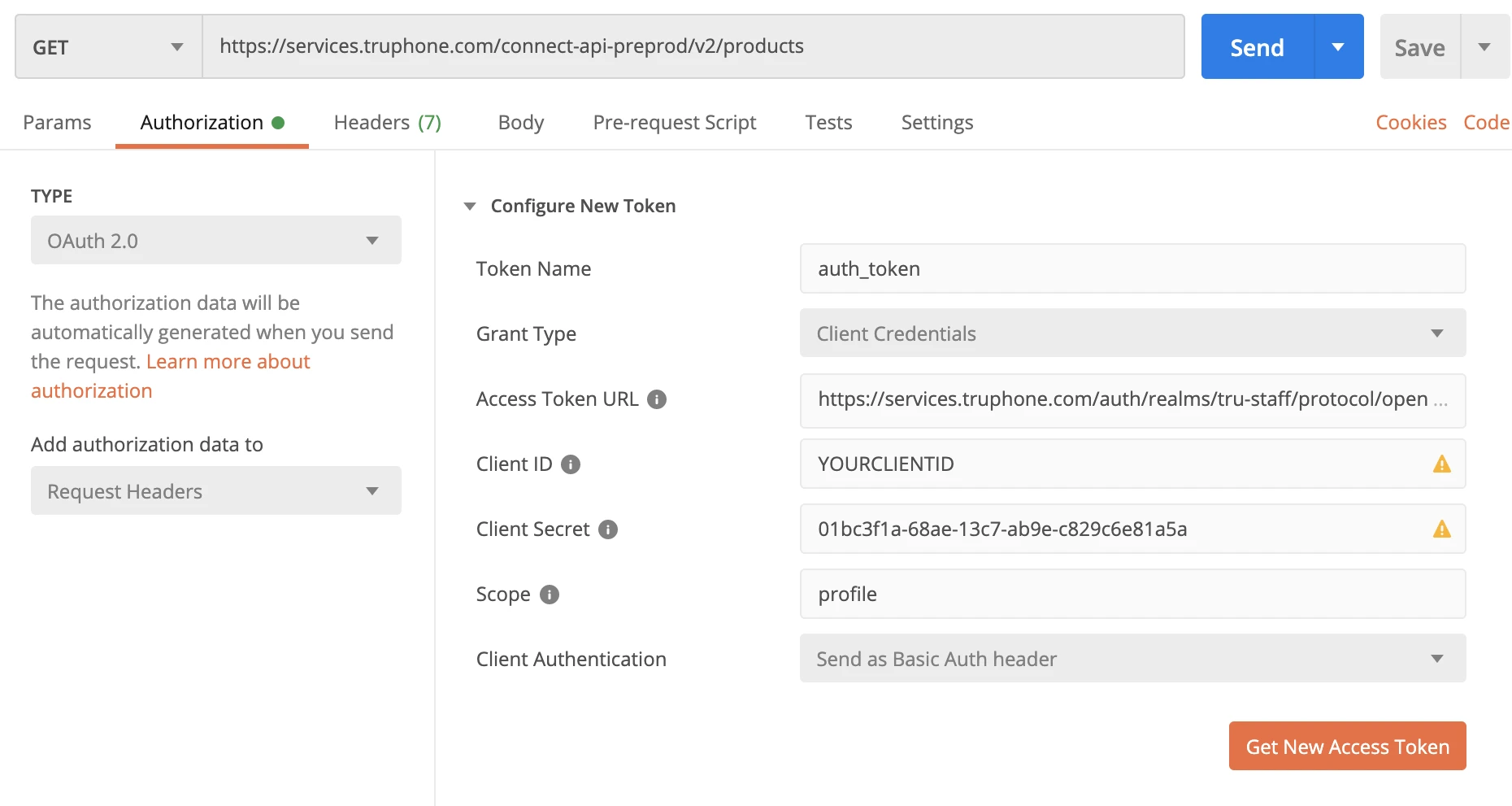
Create a new request
In the Authorization tab, set type to
OAuth 2.0Fill in the
Configure New Tokenform with the following valuesGrant Type: Client Credentials
Access Token URL: https://services.truphone.com/auth/realms/tru-staff/protocol/openid-connect/token
Client ID: clientID
Client secret: clientSecret
Scope: profile (only required for Postman)
Click on the
Get New Access Tokenbutton, which will trigger a popup saying 'Authentication complete'.In the
Manage Access Tokenspopup, hit theUse TokenProceed with your request. The generated token should be valid for 5 minutes
Example using cURL
$ export ACCESS_TOKEN=`curl -s --data \
    "grant_type=client_credentials&client_id=truphone&client_secret=xxxxxx-xxxx-43f3-9fba-85686d72c1c0" \
    https://services.truphone.com/auth/realms/tru-staff/protocol/openid-connect/token \
    | sed 's/.*access_token":"\([^"]*\).*/\1/'`

$ echo $ACCESS_TOKEN        # view the access token

$ curl -H "Authorization: Bearer $ACCESS_TOKEN" https://services.truphone.com/connect-api/...
Refreshing the access token with a refresh token
To refresh the access token, you can use the refresh token. The refresh token is obtained on the first call to obtain the access token (described previously). After that you can use it as shown on the following example:
Example using cURL
$ export ACCESS_TOKEN=`curl -s --data \
    "grant_type=refresh_token&refresh_token=<your_refresh_token>k&client_id=truphone&client_secret=xxxxxx-xxxx-43f3-9fba-85686d72c1c0" \
    https://services.truphone.com/auth/realms/tru-staff/protocol/openid-connect/token \
    | sed 's/.*access_token":"\([^"]*\).*/\1/'`

$ echo $ACCESS_TOKEN        # view the access token
This call will give you an access token and a refresh token. The refresh token will be valid for 30 minutes.


1GLOBAL is a trading name of 1GLOBAL Holdings B.V.